> Since the LG UltraFine exposes a USB HID device to control its brightness, I wrote a driver to attach to it and expose the brightness adjustment through wsconsctl display.brightness.
Wow, that is impressive both from the device _and_ from the author. I wonder how many displays support controls over USB? Personally, I hate having to manually adjust my display's brightness in the evening.
I use display-switch which is a rust wrapper around ddcutil plus some usb-port sniffing to switch my 3 monitors between my work laptop and personal desktop.
The issue is that not every monitor has full ddc support, especially consumer-targeted monitors. anything for pros will usually have pretty good support but those usually don't have great refresh rates at reasonable prices. (I noticed LG is especially bad about supporting ddc)
DisplayPort is the more surprising one. DDC came from VGA and DVI and uses the I2C lines that also connect the EDID EEPROM, but Displayport doesn't even have I2C pins if you look at the pinout, so it has to be tunneled:
"DisplayPort does not have the I2C SLA/SLC pins. Instead, the logical I2C signals are converted at each end into messages on the AUX channel. Put another way, DDC is implemented using the AUX channel, but the AUX channel itself is not DDC. The "multiplexing" of I2C over the AUX channel is transparent to all but the lowest level of I2C software at each end."
Something I've learned from discussing computer hardware informally online over the years is that people have vastly different standards for what it means for fans to be "silent" in use. So much so that it's hardly worth discussing, because someone will insist that such and such fan or actively-cooled device is silent, and then you buy it and it sounds like crap. I suspect it's "Cloth Ears" in many cases.
I think it's not just different standards (quiet = "I can't hear it when blasting Call of Duty at an unhealthy volume") but likely the prevalence of hearing damage. A 30 dB noise is way less noticeable if your threshold of hearing is in the 10-30 dB range instead of the -10 to 10 dB range. Likewise the ability of people to perceive separate noises simultaneously differs.
(Likewise many people say they can't hear the noise ANC headphones produce - it seems likely to me that they're either in a too loud environment so it's masked at all times, have hearing damage or both. It'd be interesting to see the Venn diagram with people who complain you can't turn up phone headphones to be loud enough any more - mumble mumble the EU took it from us! Meanwhile the volume step size of AirPods is too coarse for me because I'm only ever using the lowest four or so "clicks", rarely exceeding 50 dB per HealthKit).
We definitely have different physiological sensitivity to stimuli,
and sensitivity can be unintuitive (sounds we can be either made more or less noticeable depending on noise), we also differ in our processing ability and finally our conscious and unconscious ability to direct attention.
This leads to interesting things like for many a white noise source (actually pink noise) nicely blots out most other auditory stimuli by helping direct attention away. Yet the noise source itself heightens sensitivity (why some people find ANC annoying).
Finally some people simply can not direct their attention strongly and it's worsening.
Hypersensitivity it's being swallowed up as an autism trait but many people simply aren't as trained at directing attention than we were in the past since we have such loud hobbies.
I have terrible hearing (plus age) and I still find most devices have uselessly coarse AND loud volume levels. I almost never exceed the first 2-3 'clicks' unless I want to wake my neighbors. Worst offenders are cheap monitor and/or laptop builtin speakers. I remember one where out of 15 avalable clicks, level 2 was already unbearably loud.
When PulseAudio added "absolute volume control" support, I found out it would sometimes fake in extra clicks in which the actual volume would NOT change, but gave the impression of granularity. Wonders of HDA & usb audio...
> Likewise many people say they can't hear the noise ANC headphones produce - it seems likely to me that they're either in a too loud environment so it's masked at all times, have hearing damage or both.
On my old QC-35 I couldn't hear it, but it's pretty noticeable on the QC-45 I got after those broke.
The people who prefer Apple's or Window's font rendering are able to observe it so that's much more subjective preference compared to people who are literally unable to hear e.g. an x570 chipset fan and claim their system is silent
I confess I am somewhat impervious to bad kerning myself. I thought about fixing that (there's online exercises that one can take) but then I realized that there's potentially so much bad kerning out there I would be making my life more miserable for no reason.
Screen tearing in X11 is a tricky one since there's a dozen ways to deal with it and 10 times more ways for it to go wrong, which is just enough uncertainty that you can never be sure if it's supposed to be that way. I know I've spent hours trying to deal with screen tearing by fiddling with desktop compositors that are supposed to prevent tearing out of the box only to fall back to the trusty AMDGPU/Radeon TearFree setting which has always just worked for me.
There are driver options to remove screen tearing in X11. (At least for Intel, Nvidia and AMD cards).
Also, font rendering has gotten worse under Linux in recent years (due to fractional scaling).
I should probably just switch to a BSD that doesn't include Wayland support before it is too late. That'd fix my desktop's incessant pulseaudio and systemd screwups too...
Maybe my perceptions are out of date, but cleartype, while technically allowing higher font dpi, had a rainbow/screen door effect that stood out like a sore thumb for many of us.
The effect depends on the screen technology you use. Windows guesses the pixel layout, but you can tweak ClearType to fit your screen better. You can open a wizard that takes you through six steps and asks you to select the rectangle with the best text (out of six rectangles) to tweak it to your liking.
When the subpixels don't align, ClearType can be ugly as hell, but for me the default guesses always worked out.
I wonder if virtualization software messing with how ClearType assumes subpixel layouts could cause a lot of the dislike for ClearType in the Mac crowd, as many Mac users possibly predominately handled Windows in things like Parallels? I don't have any knowledge about how ClearType behaves in software like Parallels so I could be entirely off-base with that idea.
The only time I had dislike for ClearType was when I'd rotate a monitor from landscape to portrait. This makes sense, since the subpixel layout is then wrong. So, I'd usually just redo the ClearType settings when rotated and use the monitor in that orientation for a while instead of constantly switching.
The virtualisation problem may definitely play a role! In my experience, ClearType in a VM is often very very wrong. I think it may even be off by default if Windows can't find details about the current screen.
Alternatively, you may be getting the "RDP" experience for optimized drivers, which is just very blocky.
I prefer ClearType over whatever macOS does (or did, been a while since I had a Hackintosh) but combining different rendering styles is always jarring. Helping Mac people through remote desktop always made the text look wrong to me, probably for the same reason. When you expect text to look a certain way, alternative renderers are always wrong.
This is also something I notice with some custom GUI libraries that implement their own font rendering. I've dropped several GUI tools because I just got frustrated by how their text always looked different from normal text.
On displays with high enough resolution/dpi, maybe. But isn't it just inevitable that if there are red subpixels on one side of your text, and blue on the other, that it would be noticeable?
OK, I played around with it and I was able to make it more and less noticeable depending on which boxes I picked. Guess I'll never know if that was possible when I first started noticing it 20 years ago, with worse monitors and better eyeballs :(
In my observations it’s the reverse. Windows font rendering looks ok to me (if a bit “off”) on my laptop with 1.5x UI scale, but underwhelming at 1.x. At 1.x fonts look badly kerned and a bit misshapen, and that cleans itself up quite a bit at 1.x and beyond.
macOS and Linux rendering looking better to me regardless of render scale. Good kerning and no beating font glyphs into odd shapes to fit a pixel grid on screens with pixel density high enough that it isn’t necessary (we’re not running 1024x768 LCDs any more).
This really depends on the size of the screen. For most laptops, I'd argue that 4k is useless; 1440p is high-res enough that you get perfect clarity anyway.
For 83" TVs you obviously need more pixels to get a good viewing experience because you don't position yourself several meters in front of the screen to make the pixels unnoticable.
As an aside, many 4k/1440p videos are not really 4k or 1440p, vs how we would classify a 4k/1440p monitor. Video is mostly 4k/1440p light levels, but less than that w.r.t. color information.
In addition, common video compression techniques (at least the simple ones that I could still understand) basically reconstruct blocks of pixels. Reconstruction is lossy, at best.
If I had to guess, something similar could be done in games as part of their optimizations.
For me, there's only a difference for the text console. For GUIs I have to halve the resolution to make things usable so it doesn't really help anything.
PCs usually aren't completely silent under load anyway (at least none that I've owned). No fan is silent at nominal voltage (and unmodulated) but when slowed down to a low enough RPM they can easily be less audible than GPU coils, many monitors, powered on speakers, room lighting, ... (and "more silent" than a powerful PC's static parts under load).
It's also dependent on the room/building you are in. If you would try the fan in an office type environment (even without any people there) you would probably think it is quiet. But then when you bring it home the fan suddenly sounds very loud.
It's mostly due to the background noise such as active ventilation, air conditioning, other computers/servers/printers with fans etc in the office, which you might not have in your house.
The empty office might seem very quiet, but in terms background fan like noise it's not.
Traffic noise could also be a similar background noise factor.
Very well done :) I have an aversion to sound that borders on a "disability", lol the biggest fights I had with my girlfriend was about sounds (The minute, the repeating and the periodic ones)"
The one where we argued if the UPS 20sec alarm two rooms away is "not that bad" or "ice-picks-in-my-brain" was especially dividing.
Ex-girlfriends aside... I really like your setup and you are so right about the RGB crap !
Computer hardware and sneakers('Tekkies' if your a South African) both follow the "Xmass-Tree school for design.
The marketing copy writing is as insulting as color-schemes.
Their ad-copy and slogans, makes me feel like I'm about to be a general in a internet-dragon-slaying army or secret agent.
EDIT:
I almost feel there is a gap in the market for a manufacturer to be competitive solely on a predictive-and-simple naming schemes alone !
This might be a hard pill to swallow, but if a romantic partner is dismissive of something like “this makes a noise that is really distressing/painful/annoying” there is really only one explanation: this person doesn’t care about you or your well being. Leave now. There is truly nothing to argue about with someone’s subjective experience. Your real argument was about if your well being matters or not.
Whenever anyone posts anything about their partner that isn’t purely positive, people will come out of the woodworks to tell them to end the relationship.
From this one little anecdote you can’t judge that relationship.
Well, we did break up. If I had to sum it up in once sentence. We had very different "stress-profiles". We still good friends 3 years later and I get regular updates about our dogs (though they all live in a different country)
This is some form of laptop Stockholm Syndrome. Why would you crank your neck, type on a cramped keyboard and use a tiny mouse? Fan noise is also not a problem with a huge Noctua fan and positioning the tower under the desk. And my personal pet peeve: small monitor.
> I've always chosen smaller (<= 14") laptop screens since I find too much horizontal space distracting. I prefer to separate tasks with virtual desktops rather than have everything on one giant screen.
Get a HUGE monitor, position it far away: you get the same relative size and relative pixel density, but your eyes can stay a lot more relaxed focusing at a decent distance.
> Get a HUGE monitor, position it far away: you get the same relative size and relative pixel density, but your eyes can stay a lot more relaxed focusing at a decent distance.
I also age over time. Can confirm this is a better strategy.
"After [...] learning that all future Intel "Evo"-branded laptops would lack S3 suspend"
By the way, is there any laptop left that sleeps in S3 mode / sleep to RAM. Possibly an AMD one. I just checked and it seems that it's more and more difficult to find one that even has a BIOS switch to enable it again. The target is running Linux, not Windows.
I run a pretty-much-fanless Arch Linux desktop. It’s a Lenovo m920q I bought second hand, ex lease on eBay. Super simple, no fuss at all. Comes with remote KVM in the motherboard. (The security implications are totally probably fine)
It’s totally silent in normal use. (Go web dev mostly)
Occasionally the fans will start up to alert me to the fact that I’ve landed on some social scummy website that’s crammed with 20 banner ads on the one page and is probably trying to mine something in the background as well. I shut that browser tab and the noise goes away.
I've had my eye on these 1 liter PCs to replace my aging Haswell Xeon based server (Dell PowerEdge T20). My system still works great and is completely silent but it's very old and a second one I had died recently. I use external hard drives so I really don't need a traditionally sized system.
I'd need to squeeze 64GB of ram in though, as the 32 I have currently is occasionally limiting depending on the VMs I'm running.
> The main bulk of the case is held up 2" off the surface by two large feet, which only leaves 2" between the motherboard and my table. This makes it a bit difficult to plug in certain cables like a DisplayPort cable with a large connector, but my desk has a grommet in the corner where the case sits so the majority of the cables can pass straight down through the desk.
You can buy right angle DP & HDMI cables that are perfect for this.
I have my PC setup to be fanless for the majority of tasks, except for gaming pretty much. With a massive CPU heatsink I can tune fan profiles to only turn on when nearing a maximum temperature. I run the equipment fairly hot, in other words. My fan curve is just one giant step, with hysteresis so they don't cycle on and off near that step temp.
I am likely trading some component lifetime for silence, but it's a trade I am willing to make.
I put downvolted fans that are inaudible on my passive setups. That way I get both silence and longevity. The added benefit that if the fan dies the hardware lives.
My thumb rule for temperatures is if you can hold your finger on it indefinitely it's cool enough.
Uncommon (?) monitor configuration. Never really thought to lay one down like that. Anyone do this and have opinions? I think I enjoy the space underneath for papers and pens too much, also it would be awkward with two screens - though perhaps a vertical stack would work well. I think some laptops come with "keyboard screens" (not touch bar) now.
Well, I've been using laptops since the late 90s, no problems whatsoever looking at a screen close to my keyboard. No strain to my neck or back and of course I'm not so young anymore. I can't imagine having to raise my head and look straight ahead all the time. What for? On the other side, as cyclist I'm used at spending hours with my head raised much more than that to look ahead. At least I rest when working :-)
Yes, but you do not have to go that far to get a fanless desktop.
I have an Intel NUC running Linux (debian).
About 5 years ago I replaced the case with a fanless case (Akasa).
It took very little time, there was just some screws and a cable to attach the USB ports.
The original case with fan was not particularly noisy. But it is just so much more relaxing working or reading without the fan.
I once put considerable effort into making my setup as silent as possible. Then I realized I could have it as loud as needed as long as it was in another room. So now I either use my television with cables run through my crawlspace to my office or a remote desktop on my silent tablet.
OP wonders if there’s a version of the Thinkpad keyboard with a metal case.
The Tex Kodachi has the Thinkpad layout in an aluminum case, but it’s unfortunately out of stock on the manufacturer’s website:
I miss that on (stock) Linux. At least on my Gentoo system at home (yes yes, I know) I can have a nice clean pstree, but my work laptop runs like two hundred things before I even open a program.
You can use a 16 core Ryzen 7950X and cap it at 65W to get 12% more performance than a 5950X. With the additional heatpipe you could do 105W TDP and get 31% more than a 5950X and only lose 5% compared to the stock 170W TDP. It has a GPU built in.
If you are talking about virtual cores (aka threads), then yes, such thing exists, it is called Compulab Airtop 3. You can order it with a Xeon E-2278GE, which has 8 cores | 16 threads | 4.70 GHz | 80W
One small note: HDPlex has a 250W GaN PSU which is also fanless and shockingly compact. https://hdplex.com/hdplex-fanless-250w-gan-aio-atx-psu.html it is also moduler and supports chaining. Altogether a very very interesting brand new product.
Are they still in business? Their last blog update was two and a half years ago, and most if not all of their products are out of stock?
I have the first generation of their cases still in use and it's absolutely rock solid quality. But seeing the activity on their forum and web shop go down I'm not sure I can recommend them anymore.
They absolutely are. You can see for example there are a few of these GaN PSUs in stock in Asia and US is expected to get stock on Monday. https://smallformfactor.net/forum/ has lots of satisfied buyers and a month ago /r/sffpc was abuzz with people getting \these and fitting them in various cases. I exchanged an email with Larry on September 21 last. He is certainly not great on social media, like, their twitter account exists but is completely empty.
They replaced it with S0ix where the operating system remains running (Microsoft variously calls it "connected standby", "modern standby"). https://news.ycombinator.com/item?id=29122687
I enjoy reading posts like this, which delve into personal setups and the intentions behind them. However, I found this a bit puzzling:
> While not an absolute requirement, integrated speakers would be a nice option on the monitor so I wouldn't have to buy separate ones and find a place for them on my desk.
For such a methodically constructed workspace, especially one that goes out of its way to avoid fan noise, I'd assume the OP would have wanted at least middling audio quality. I wouldn't consider myself an audiophile, yet I've never used a computer monitor's onboard speakers by choice. Almost any other solution would likely be superior to whatever microscopic "speakers" are crammed into that 21.5" monitor...
I appreciate a quiet setup, but I don't actually care all that much about the quality of the PC speakers; most of the time I use it just to watch a short video, or maybe a presentation or interview. As long as it doesn't sound absolutely horribly tinny it's "good enough". For more "serious listening" I use headphones.
I sort of assumed headphones were the OP's actual primary audio source. Makes more sense. I end up using headphones half the time anyway because that allows for more convenient audio options when taking calls on multiple devices throughout the day.
Thanks for posting this. It finally made me realise that I could disable the stupid LED lights on my B550 mainboard (same AMD CPU as the guy in the linked article).
I'm running a similar setup with Linux (Manjaro) and a Streacom FC8 case with a Nano PSU (no coil whine).
I have similar but not so extreme inclinations towards fan noise. I settled to build my desktop with a simple NZXT case, intel 8th gen CPU running Arch Linux with CPU governor set to Performance. The pSU is an ATX power supply that is rated for 750W, while I could barely get to half that with full load(which means PSU’s fans almost never need to spin up). The CPU is cooled by an oversized NH D-15 Noctua air cooler with two 15” fans that are set in BIOS to only spin up when temps get quite high(which never does unless I run synthetic benchmarks).
I have been so happy about this system that I almost never talk about it. It is a tool that does its job well to my needs and gets out of the way.
Undervolting/power limiting could work well as well. The latest gen CPUs apparently get like 95% of their performance when limited to only like 1/3 of the max power.
One option here is to wire up the fans to run at 7V (connect negative to 5V line), or even 10V (by connecting to -5V and +5V).
But getting software control to bump that up to 12V when needed could take some extra steps/hardware. But if you use the system lightly enough, it’ll be cooler in its norma state and might not need the extra cooling oomph.
That's not necessary anymore, the fans are either PWM or voltage controlled by software in every modern system. The noctua fans are also rather quiet by default.
I am using exactly the same monitor right now (it has a tendency to burn-in with pink edges, so I put it on my living room for occasional "different desktop" usage with my laptops). It is pretty amazing.
> Does any of you have a recommendation for a screen that doesn't consume so much energy?
Are you after a physical tiny screen doing 4K/retina or after something huge not retina?
My LG 38" does 3840x1600. I'm using it since five years now and I much prefer to work on that than to work on my M1 Mac laptop's tiny retina screen. The 38" consumes less than 50W without being set in eco mode.
My monitor (ASUS ProArt PA278QV), which calls itself "professional", has a power consumption of less than 20W. Even if his monitor has higher resoltion and better brightness, I am a bit surprised that the difference is that big.
Your comment made me check my own (LG Ultrafine 5k) and it’s 140W… That’s crazy. I love this monitor, but am interested in a high quality, lower power option if anyone knows of one.
My LG monitor has a brick that goes to 65W, but the measured power consumption is ~20W at the wall. ~12W in short idle (screen turned off less than ~1 min ago). ~0W in deep sleep, which is where it spends most of its time.
I am running on minimum brightness, since I'm indoors.
That includes two fridges, a freezer, a NAS, multiple internet uplinks, lighting, an always-on desktop, a half-dozen IoT gizmos and five wireless access points.
The house averages 1-2 kW (including laundry, water heater, water treatment, hvac, dishwasher, oven, cooktop, etc).
A 140W monitor would meaningfully increase these numbers.
Nice! My brother made a fanless gaming PC and it’s pretty nice. Sadly GTX 1650 was the last GPU available with a passive cooler [0]. So sooner or later it will be EOL. Afaik no RTX card was ever released with a passive cooler
You'd gave to be quite lucky to buy a high-power GPU like that which, under load, wouldn't have coil whine significantly louder than quiet case fans. (GPU fans usually aren't that quiet even at lowest operating speeds but these days 0rpm modes on low loads are pretty much a standard feature.)
Yeah; I got an AMD 6600xt, and it's not noticeable in my quiet, but not fanless case. Also it adds a few very large, very low RPM fans that only spin up under load. Those help pull air through the case, helping other stuff stay in passive / low RPM mode.
It is counterintuitive, but many fans can end up being quieter than a few fans.
Streacom cases are great but the cube has an unwieldy shape to fit anywhere but on a desk. I opted for the flat version: http://move.rupy.se/file/xeon_1030.png
Doesn't using a single DIMM for memory really kill the performance? I thought basically all Intel & AMD CPUs have two channels of memory controllers. So for optimal bandwidth on the memory you need to use a multiple of two memory sticks.
I got the same Streacom DB4, with a fast processor, and Ubuntu. It is wonderful to have a system running at full speed for days on all cores, and no sound. None. No fans. And it looks good, first PC I ever kept on my desk.
I have almost the same setup, but with Linux/Fedora instead and the Ryzen 4750 without 'G' but a card.
I even made the same thermal images out of curiosity :)
I was wondering how they can run that cpu without any cooling.. Then they say it goes up to 90°C .. That's way too hot! thats like laptop / mac temperatures. It will function sure, but it wont last, it will degrade relatively quickly.
How quickly is quickly? I've never had a CPU break on me, I still have laptops in storage a decade old that work fine, only they're too slow for the modern web. Perhaps 90C is reasonable for the time you will be using the device.
Individual transistors will break, the cpu will continue to work, but it will run slower. That's probably why your old laptops are "too slow for the modern web".
"
Some circuits and buses are protected by error correcting codes (ECC). If a transistor becomes marginal—meaning that it works most of the time, but occasionally fails—and thus only causes occasional glitches in those buses, then the processor may continue to function. However, it will likely trigger ECC correction events and suffer performance degradation. These ECC events are a sign it’s time to replace the processor. If that transistor fails completely, the processor may still limp along, but it will not be running at full spec if it does.
"
The Linux kernel will complain loudly if ECC, etc kick in.
It is more likely that the thermal paste will degrade, the heatsink will get dusty, or things will start requiring missing GPU APIs, and fall back to software rendering.
Transistor efficiency also drops over time (creating more heat). Usually capacitors or connectors fail before that matters though.
This specific processor should support an eco mode, minimizing that problem. I'm not sure ofc the board enables the option.
Also relevant for the ryzen 7000 processors, where that mode limits performance minimally but saves a lot of energy. Sadly not on by default, but seems to be a regular AM5 feature now.
I personally would use a regular case with the noctua passive cooler, then add a case fan to only start on high temps. But my setup right now is so quiet it does not seem necessary (5675c cooled by an aio, fans and pumps throttled, noise isolated case - not audible for me on idle and very quiet on load thanks to a low fan curve, set by the excellent fan2go).
The entire operating system is extremely well documented and thought out. Everything is done the traditional Unix way, so you don't end up with problems from churning half-baked subsystems. It's also routinely + repeatedly security audited. If they can't maintain quality+security for some subsystem (e.g., their bluetooth stack), then they delete it.
I run it on my router. I've had zero problems in many, many years.
That's fucking funny considering they let people like Andrew Aurenheimer brag about being the CTO of the daily stormer on here for years now. The more pettiness I see on the internet the less I bother
Wow, the author has some interesting history with HN! Banned because of problematic moderation, and then went onto create lobsters.rs. I had no idea it was created out of frustration. https://jcs.org/2012/06/13/hellbanned_from_hacker_news
Modern desktop Linux barely works, honestly. Its saving grace is the wide support for basically everything under the sun, both hardware and software-wise. But if you know what programs you need and they all run on a BSD, I don't see why you wouldn't use it. (Heck, I'm tempted from time to time)


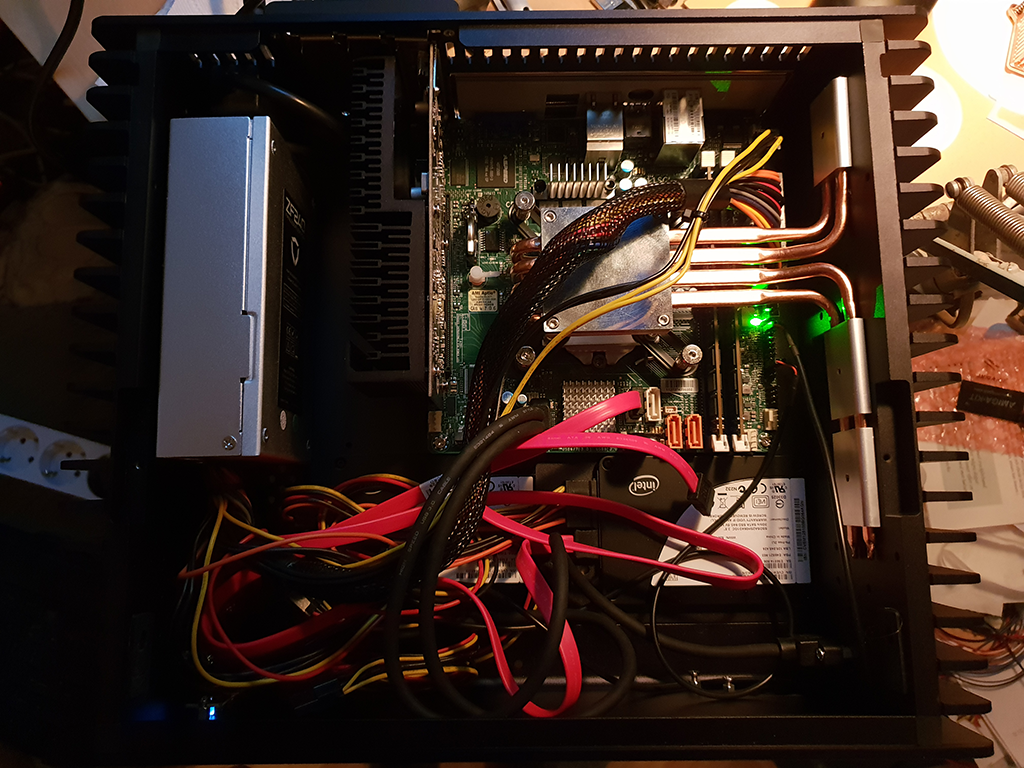
Wow, that is impressive both from the device _and_ from the author. I wonder how many displays support controls over USB? Personally, I hate having to manually adjust my display's brightness in the evening.
Edit: This got me curious and after digging it looks like some utilities can actually control the hardware backlight brightness, like xbacklight on linux: https://wiki.archlinux.org/title/backlight#xbacklight
You can also use xrandr to control the signal brightness, but that's not really the same as controlling the hardware.