While people are discussing window managers, one of the most overlooked window manager is: hersbtluftwm.[0]
If you work with multiple monitors, give it a try (today is sunday)! It uses the monitor swapping feature from xmonad but comes with simplicity of editing the config (one doesn't need to learn new programming language to edit config). It's a pretty cool window manager.
I've actually met the author of HerbstluftWM at the Konferenz der Informatikfachschaften (national student association meeting in computer science). Very approachable person. Coincidentally, the original author of Rack (Ruby) and the kind of inventor of tumblelogs was also there. Then again, where else would you meet people like that!
A really fun feature of herbstluftwm that I’ve not seen replicated is that monitors are virtual and can be reconfigured on the fly, so you can have e.g. a monitor that is bigger than your physical screen, or a little virtual monitor that you can pop in and out of your screen as a kind of notepad.
Featurewise, I don't see why I would move away from i3wm. That said, I always feel love for any project that pitches its code base as being small and in C.
As someone who spent many years writing C, every time I go back to it, I wonder why people still write things in C.
(I'm exaggerating; of course I know why people still write things in C, but I would have a hard time justifying starting a new project in C these days.)
And situations like this one where you need both C API (for maximum compatibility), and manual memory management is a much for various reasons (read the blog post)
System instability and security issues are just fun! That is all I'm hearing.
At this point I think we should have some sort of vetoing power on when a new kid comes in and says "I'll write it in C". He should give very convincing arguments on why he can't use a higher level, safer language.
Too many people are allowed to "write it in C because it's fun" and here we are.
> That is all I’m hearing
As alien as it might be to you to not use Rust or Go or Python, people really do write C because they like it — and they are aware of “system instability” usually :) This argument just makes its users seem worse off for projecting their righteousness onto other peoples’ personal choices.
:_D You made my day! I'd continue like this: barely moving eye-popping-graffiti-painted squeaky wheelchair with no bearings mounted with duck tape inside a rusty sea container, that is chained to a heavy truck with broken exhaust and flat tires = (you guessed it! :) )
> barely moving eye-popping-graffiti-painted squeaky wheelchair with no bearings mounted with duck tape inside a rusty sea container, that is chained to a heavy truck with broken exhaust and flat tires
If you add a solid rocket booster to this contraption (so that it actually moves) that would be exactly javascript.
I don't find it fun at all. I want to focus on what I want my program to do, not on how the computer does it, as long as its doing it reasonably efficiently. I want a successful compile to give me a decent amount of confidence that my program is correct, and is free of some classes of bugs.
Life is too short to waste time tracking down double frees, out-of-bounds writes, memory leaks, and weird concurrency issues.
Outside of UNIX clones due to symbiotic nature with C, and embedded anti-C++ cargo cult which won't even consider C99 in some cases, there is hardly a reason.
However this is hardly going to change outside the domains where corporations push for blessed languages on their platform SDKs, people keep being educated that C maps 1:1 to Assembly language and thus the myth continues.
Even Microsoft with all their security talk only allows on Azure Sphere OS and Azure RTOS, the reasoning being their target market doesn't wan't anything else.
C is the scripting language of the kernel and low-level system libraries. Other languages have approached that status, but in my experience none have gotten to the point of zero-friction integration with libc and kernel syscalls. I understand why (for one thing, not having a real string type is painful) but it helps keep C around for low-level system-call-centric code which doesn't hit on any of the things C does really poorly.
I think that when the code base is small it can be really fitting. Ones I find my favorite do almost no memory allocations. Or allocations are done only for the workset. I do not like that nowadays it seems customary to heap allocate everything and tie object's lifetime to where it keeps its state. Modern C++ with unique_ptrs sprinkled everywhere is like that.
In well written modern C++ there are rarely memory allocations outside of STL containers. I have worked on big embedded projects that only use unique pointers in very few locations, you can do a lot of stuff without using the heap if you really want.
>and tie object's lifetime to where it keeps its state
What's the objection there? I want the state to be freed when the object's lifetime ends. For something only needed during a function, a local value variable makes sense. For something that needs to last longer, either give it a move operator, or put it on the heap and use unique_ptr.
If your point is that people sometimes use unique_ptr<std::string> instead of std::string or std::optional<std::string>, then yeah I agree, that's generally not good.
That’s not his point, but you demonstrated it quite well. C++ use leads to developers that conflate memory allocation and initialization. For contrast, objective C also differentiates between the two.
When it comes to build systems, creating lightweight and efficient binaries that integrate with libraries and couple nicely with package managers... I think C is still one of the best options, although Go has come a long way and Rust isn't too far behind. In terms of security, I believe Rust has an advantage, but I've yet to find any exploits in the C programs that I use that would have somehow been mitigated completely with Rust, and there are a lot of unsafe Rust programs out there as well.
Rust, or maybe I'd try something new (to me) like Zig or Nim.
Window managers don't do all that much most of the time; I bet you could even write one in Python and not see performance issues. Hell, Go would be more than performant enough.
I'm bothered by the sensationalist "healthy". It is used only once on the site and it's not explained. "Byte-sized" is also an offender here, but let's say I can mentally replace it by "small". Do we really need to explain technology in terms that sound fancy without deeper meaning?
Alrighty. I am a geezer. FVWM for 25 years, mas o menos. I just upgraded to fvwm git, package or local, on both Debian and FreeBSD. Partly because of fvwm I know way too much about HiDPI, and I was very happily using j4-menu-desktop as my chooser.
And then... rofi. Which I tried with fvmw3. I love you, whomever did this.
I am not sure how to work with berry but I am going to give it a serious try. Two pieces of configuration information I will have to ferret out are:
Can I have overlapping windows with automatic mouse focus and elevation, with configurable delays? How do I choose among the virtual desktops? rofi doesn't do these, it seems.
Unless some abstraction layers have been added while I wasn't looking, Wayland doesn't have a notion of window manager - only of compositors. These compositors incidentally also manage windows (although that's not the Wayland term I think), but I think the correspondence of compositor and window manager is still 1:1. Thus it is safe to assume that anything called a "window manager" is for X11.
fair point, but i think this distinction between compositor and window manager is going to go away. if the compositor manages windows, then technically it is a kind of window manager. calling it something else feels unnecessary technically pedantic.
if the term compositor wins out, then fine, but i feel that that won't happen.
The term "compositor" refers to a program that is significantly broader in scope than an X11 window manager. You can write the most basic but somewhat useful WM in about 50 lines of C, and literally *all* it has to do, is to respond to new windows being mapped. A Wayland compositor on the other hand has to do approximately half of the work of an actual full-blown X11 server. This is why almost every WL compositor out there is using wlroots - which continues to advertise itself as "60k lines of code that you'd have to write anyway".
Calling WL compositors "window managers" is somewhat like asking where's the horse in that car.
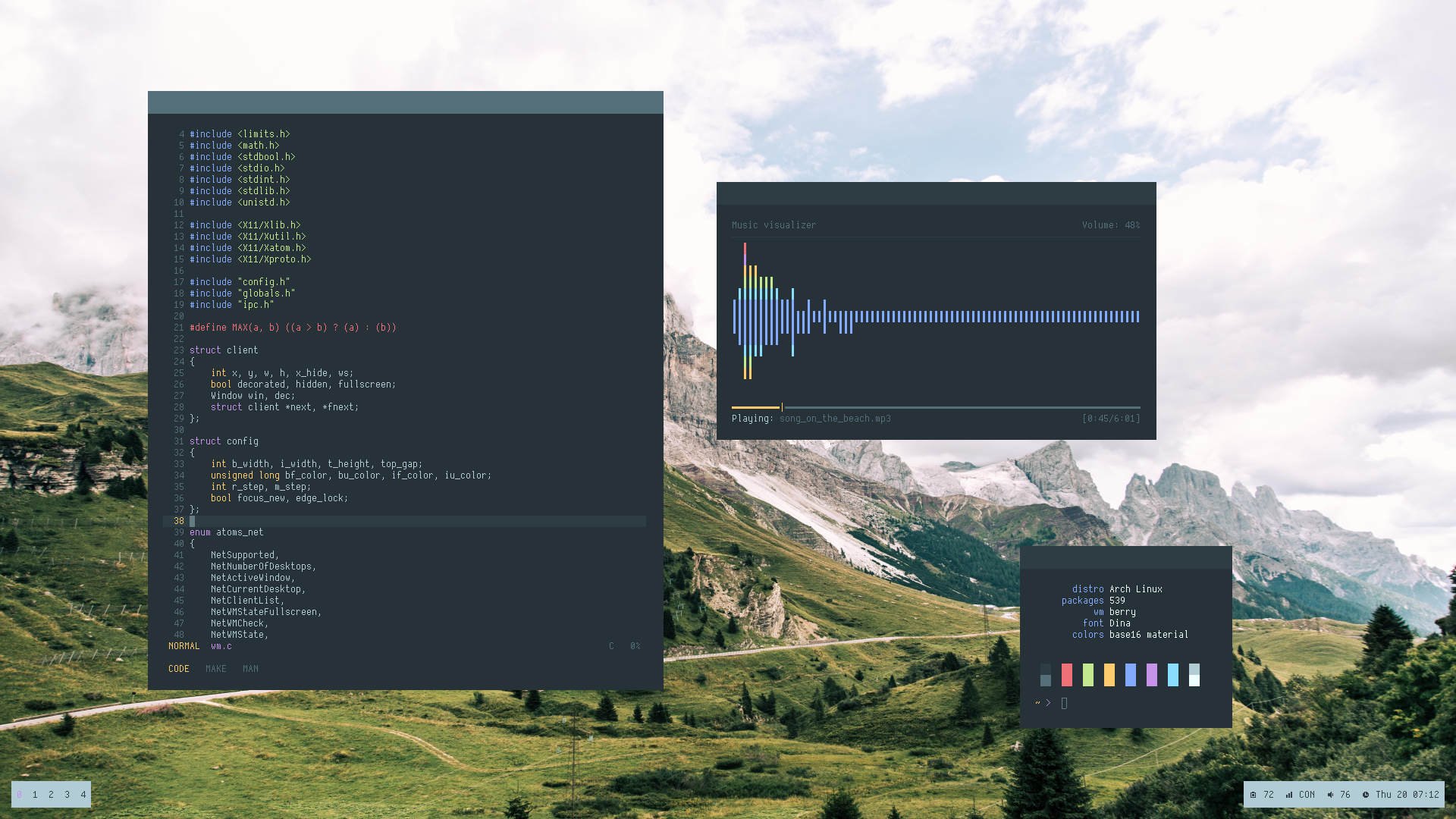
Its also referring to the relatively small codebase (2300 lines of C). Something like i3, for instance (although that is certainly more feature complete) is around 25,000
I wrote this as a sophomore in college after finishing the intro computer science sequence (which goes into basic data structures/algs topics like binary trees, recursion, etc). This was my first real project outside of school, and to be honest didn't require a ton of pre-requisite knowledge. Mainly it just required a familiarity with event-based architecture and linked lists (all the window stacking is represented as linked lists). The difficult part with writing a window manager, imo, is getting familiar with the necessary specs and APIs. This is built using XLib, which relies on the X11 protocol. I also had to learn about ICCCM and EWMH, since many program rely on them as well. It was good practice learning and implementing specs.
I also added features throughout college as I took more classes. The smart window placement feature, for example, is implemented using a dynamic programming algorithm I thought up after taking a formal algorithms class. You can read about it on my blog if you're curious: https://www.josherv.in/2019/06/27/dp/.
I really don't get the popularity of virtual desktops/workspaces. Like this thing has 5 features and one of them is it. Seems to come default in most distros/WMs out there and I just don't get it. One workspace/desktop has always been enough for me, and I find having to navigate to other workspaces/desktop just wastes time when you can just find the relevant window...
I use virtual desktops/workspaces for context switching. Because I don't like to micromanage opening and closing a multitude of windows each time I switch tasks, I just... leave everything open until I'm done with it. My computer is powerful enough that it doesn't usually struggle with that. Even if it'll be hours until I'll use a certain context, I just leave everything up on that virtual desktop/workspace until I need it next. So, I have a workspace for each of:
- Leisure (browsing Hacker News, reading the news, listening to music, chatting with friends, etc.)
With most tiling WMs, multiple workspaces are necessary since there's often no way to minimize windows. So without virtual desktops you'd quickly run out of space.
If you're using a standard overlapping window system, virtual desktops are more of an optional workflow preference than an absolute necessity.
i3 has tabbing so that's a way to hide windows. However, I still prefer work spaces as a high level concept. One window I have always tabbed, namely my command line window for different machines. Occasionally during debugging I also move a tab on top of the monitor.
Long before I used a tiling window manager I tried workspaces, too. But it just made the general chaos worse, not able to quickly find what I wanted. It's "too easy" to open a new window in the wrong workspace. Maybe just a psychological difference, with tiling I have learned not to create a mess.
Two monitors as a standard being the assumption. Lots of people don't have 'em, especially back when workspaces were first gaining traction. Also note that it's not particularly practical to do intensive window shuffling on tiling WMs.
When you take a break from, e.g. gaming, you would probably want all the related windows to be out of sight. Rather than close all of them and open a new batch for work then later close all the windows and reopen all of the gaming ones, you can simply switch between workspaces.
Berry seems to be a stacking WM, but there doesn't seem to be any way to minimize or otherwise access opened windows from a centralized "task bar" either, so similar workflows apply.
Here's how I use workspaces (I am on KDE by the way):
I have 1 workspace dedicated to programming. It has all the terminals, the code editor, and everything else.
The 2nd workspace is for browsing. Incidentally this also includes web app preview (if I am working on a web app).
I have mapped the Ctrl + ` for easy switching between the 2. So I make a change in the editor, press a key and see the preview. Nice and easy. My code editor is never minimized or in the background so all good.
I have to do all this when I am working on a small laptop screen where switching between windows is too annoying. I am aware that there are other ways to accomplish somewhat the same functionality but workspaces work for me.
This wouldn't work for me. I need to see my browser at the same time as my code. I could be referencing docs, looking up a snippet for chat, reviewing code and looking something up, all manor of things require both to be visible at the same time for me.
I also prefer the browser on a separate workspace with nothing but the browser. However, in rare cases where copy-paste from the browser is not possible/good I just move the editor temporarily next to the browser: Win-Shift-2 Win-2 in i3, it's quick. Would there even be a shortcut for "move to workspace and display"? If so I have never learned it.
I love workspaces. My top-left one is my "home" workspace where I keep a browser window with mail, calendar, chat, etc., as well as any other random browser windows/tabs with "general" personal stuff.
Then the other three workspaces (I just have four arranged in a 2x2 grid) are for a particular topic or project. One of them is devoted to some ESP32 rust hacking I've been playing with. Another has a window open for a consulting gig I was working on recently (though that project has concluded, so I can probably clean that one up). And the fourth one is for a different coding project I'm working on.
I find this much easier organizationally than having them all in the same workspace, and having to dig through the various windows to get things where I want it when I switch context.
Perhaps I'm a little odd, though: this is a laptop with a 13" screen, and I do all my work and play on it, without an external monitor. So keeping unrelated things separate is useful for me to keep clutter down.
It depends on if I'm using it on my lap or on a desk/table, but usually between 18" and 24". It does help that I've had PRK, so I have 20/20 vision, despite being in my 40s. (It was 20/15 when I got it done 7 years ago, but it's slipped a little since then.) Certainly people with vision problems might not be able to work comfortably on a 13" screen.
Yes I am definitely a bit more short sighted than that. I'm most comfortable with reading stuff on my 14" laptop about 12" from my face, so I only ever use it when lounging around, or playing videos.
Never needed to wear glasses, though I was borderline when I did my last check for my drivers license. Maybe eye surgery is something to consider!
I really like to use virtual desktops to isolate windows for a particular task: one for programming, one for social media, one for music notation, one for writing. Sometimes I have one of my kids making a Minecraft texture pack or something like that on my computer, and I'll stick that on a desktop of its own. It may be that I'm easily distracted, but I really love that feature.
I've been using a 3x3 virtual desktop setup for 20 years on my Linux system. Upper left for email, lower left for a real time view on system logs (useful for debugging), lower right for long running programs in on the CLI, the middle row for work; the rest on an ad-hoc basis. By now it's muscle memory to switch screens (it doesn't hurt that it's easy to switch spaces via the keyboard). It's what you get used to.
I think it could be because some people love hierarchies, and others hate them; most are somewhere in between, and I would certainly expect those who are more hierarchically-oriented to prefer working with the virtual desktops than those who want a flat "everything at once" model. You can see this in how different projects' source code is organised too --- some are full of deeply-nested directories and very "branchy", while others have lots of files in one directory, or few files with lots of code in them. I'm personally on the "flat" side; I prefer there being fewer levels of hierarchy, with more on each level. Even tabbed browsing, which seems quite popular, is something I make little use of --- I'd rather open new windows so I can see them all in the taskbar among everything, and switching is thus a single action rather than two.
> having to navigate to other workspaces/desktop just wastes time when you can just find the relevant window
How are you navigating to another workspace, that it could possibly be slower than finding the right window if they're all piled one on top of another?
Since forever (early 90s), I've use 9 workspaces in a 3x3 grid. Because that conveniently maps to the numeric keypad on the keyboard (which I've never used for number entry). So it's one keystroke to jump to any of the nine workspaces, nothing could be faster.
Each workspace is dedicated to a specific project or workflow, so when I switch working from something to something else it's just one keystroke away to have all those windows in their correct locations ready to go.
It's useful when you have a large screen with multiple windows that are tiled and dedicated to a single work function. For example a terminal on one side and a browser on the other that's dedicated to specific work. You may then have another virtual desktop dedicated to messaging, video editing, whatever...
In well designed WMs like i3 each desktop is typically bound to a key for instant switching, unlike the full screen atrocity of macOS where there is an unremovable delay when switching.
Back when my screen was 800x600 I used to have hotkeys that would let me switch between virtual desktops in an instant. It was super useful to have the reference page up on one screen and the code down on another. There wasn't enough space for both at once. I would also have other code windows open on different screens. People sometimes commented that it was impossible to watch me work because the screen kept flashing to different things.
I've not bothered with that setup in many years. I have enough pixels that it is no longer necessary or even helpful.
I get the motivation behind it, but I have to agree with you. I tried virtual desktops several times back when I used Linux desktops and the habit never stuck. What's more important to me is being able to easily switch between apps. Maybe there was a time where virtual desktops made more sense, but so many apps use tabs now that VDs seem pointless.
How do you find the relevant window? Alt-tabbing or searching by name sounds like more work than “I know which workspace it’s in, so I just go to it (1 keystroke for me) and then find the window” (much less alt-tabbing when there are only a couple of windows in a workspace vs. dozens in a no-workspace arrangement)
I find that using multiple workspaces makes it harder for me to find the window. Normally I just trigger the activities overview in gnome and it shows all the windows. If I use workspaces, it only shows what’s on my current workspace and I have to either search multiple times or remember which workspace things are on and dedicate to a scheme.
You Organise each workspace for a specific task. I have one for communication ( email, slack, Webex, calendar), one for learning, one for coding, one for Devon’s etc.
Pengaru mentioned MRU in the replies and that's largely how I find the relevant window, but instinctively knowing where the relevant app will find itself in the MRU using alt-tab. Either that or I just click on it in the taskbar, I never have more than 5-6 windows open. If I really need to be productive, I'll tile them up.
The way that I use workspaces might be helpful in explaining their usefulness. I dedicated one workspace to each application and run that application maximized in the workspace. So: email, slack, calendar, browser, vscode, terminal, each in their own workspace. I will actively reorder the workspaces depending on where my focus is at the moment. For example, when programming I make the terminal, browser, and editor workspaces adjacent. However, when dealing with management situations, I’ll bring slack, calendar, email, and the browser together.
Full screen applications, adjacent workspaces, and a simple left or right swipe to switch workspace allows me to find relevant apps using our fast spatial reasoning wetware and avoids the problem of having to context switch into a hunt for the right window mode.
Why bother having apps you need in a given context be in a separate workspace instead of, say, tiling them so you can look at them all at once? I have one monitor for Slack/shells and one monitor for browser/IDE.. I see everything without needing to touch a thing
Tiling can work if you have a large enough screen. Consider, however, folks that use a larger font size to reduce eye strain and work on a smaller laptop screen for portability. Also, there's a lot to be said for arranging your work area for focus and productivity -- eliminate unproductive pixels.
If I was 22 years old and had a large wraparound gaming monitor, then a tiling approach would probably work well. Truly, that approach did work for me when I was in my 20s. I'm still pretty interested in the VR office idea, but haven't bit bullet on it yet.
I actually hadn't considered laptops at all, since even those are usually hooked up to multiple monitors in work scenario but you have good points both on the screen and font sizes!
let's say you have a set of apps for a given context tiled on your screen, a shell or two, debugger, ide, editor, webpages for documentation...
now you want to look at a different context with the same windowing complexity. You just switch to a different workspace and it's all laid out for you. Then you can go back.
I get that use case, but I haven't seen the need for a different context with the same windowing complexity. I'm not sure I would want a set of windows I can confuse with another? Maybe for working on different branches/environments or when running complex infrastructure diffs?
If you are switching between 3 applications placing each in turn maximized on your display indeed I would see no benefit from virtual desktops in this instance however the benefit is proportional to the average work needed to switch between states * the frequency of such a switch.
With the complexity of keeping track of which together rising with the number of windows.
If S1 consists of a single window maximized and S2 a different window maximized the cost of switching workspaces is just as high as clicking on say a taskbar or hitting alt tab.
Let us consider a very simple stacking window manager with 2 workspaces and a task bar.
Let us first disregard the second workspace.
Suppose one has taken the trouble to size 7 windows to fit on 3 monitors. First you drag one window to the left-hand side of the leftmost monitor. Then we drag one side then the other. Repeat 7 times over for each window to be placed on each monitor.
Now suppose we only have 3 applications we ought to be able to see together separate from the other 7. This is easier as they can be dragged to a display and maximized.
Now consider the hassle to recreate the state repeatedly. You don't need to resize it but you have to manually select first 7 then 3 then 7 then 3 applications to bring them to the forefront.
Now what if you want to show 3 windows from the rightmost monitor then put them back. Now we are stuck resizing each in turn.
Now let us fully utilize the workspaces and separate the states on different desktops. Suddenly the switch between S1 and S2 is a click. The operation of moving the applications displayed on one end of S1 and showing them on the other end of S2 is of course just as much of a hassle as it ever was because workspaces encompass all monitors at once.
Now let us lastly switch to using per monitor workspaces. Now the last operation is as trivial as the first at the expense of making the process of changing all 3 at once more expensive. To decide which makes sense we would consider how frequently we want to do each operation.
If we find that we frequently need to switch multiple monitors at once we can trivially add that back but not the reverse.
I'm self employed, so keeping different client stuff separate from my general business development stuff separate from coffee break stuff is a no brainer.
Keeping a certain layout in tiling wms is the main thing I'd say.
And also it's just a faster way of organizing windows compared to alt tabbing, it just takes a bit of getting used to since most people grow up with single workspace OSs.
I really don't get how you can not appreciate the potential utility of virtual desktops.
In my window manager I took virtual desktops a step further and added contexts, each of which has its own set of virtual desktops. Windows, virtual desktops, and contexts all get kept in most-recently used (MRU) order.
So when I'm working within a virtual desktop, usually it's kept to a very localized specific topic involving multiple windows, Mod+Tab switches through those windows with the hot ones always staying at the top of the MRU-ordered list. Sometimes I end up with a slightly tangential set of windows so I spin up a virtual desktop within that context and keep those windows there, and the virtual desktop switching within the context can be achieved with Mod+Space, also in MRU-order.
But I also usually have multiple contexts active, each with one or more virtual desktops. Those contexts are for entirely disparate topics. Usually one context is communications, I'll have email, IRC, browser, etc. in one or more virtual desktops within that context. Another context will be one development project, with one or more virtual desktops full of terminals, kcachegrind, testing, etc. Usually I have two or three active development contexts repeating that mess. I can switch between the contexts using Mod+Grave, also in MRU-order.
The major value this all brings to me is it organizes my virtual spaces in the same way I organize my thinking and logically switch contexts. Due to everything always being kept in MRU-order, and having explicit keyboard controls for switching to the next recently used {window,virtual-desktop,context}, whenever I switch between these things, what's put immediately in front of me is the last item I was focused on within that context/virtual-desktop. And when I'm cycling through just windows or virtual-desktops, I don't get distracted by ever seeing the stuff put elsewhere.
But I do somewhat agree in the sense that many window managers offering virtual desktops utterly fail to deliver the obvious potential workflow advantages. It's totally ubiquitous for Mod+Tab to cycle window focus in MRU-order, but for some unclear reason nobody seems to do the same for virtual desktops, and I've never seen any before that grouped virtual desktops into another MRU-ordered and iterable/focusable thing which I've termed contexts.
Something I've come to really appreciate with how my window manager works is I'll sometimes spend over a month just living within the three MRU contexts getting shit done. Then I'll finally come up for air and hit Mod-Grave that fourth time without releasing Mod and rediscover that project I was working on last month still sitting there waiting for me to resume working on it, with the last focused window still sitting on top and focused ready to go. The entire month I spent in the top three MRU contexts I didn't have that backburner context's windows/virtual-desktops entering my cognition one iota, despite it being there all running and waiting happily.
What do you mean, you just awk for the third curly bracket after the first square bracket after the eighth appearance of “items”, excluding the time it appears between four opening and closing curly brackets.
I'm pretty sure, well I've worked with someone who kept large text files collected from scraping the domains that are either confirmed or are suspected of directing malicious traffic, peddling malware, etc. these files are json formatted but compacted to the point that they aren't really human readable, since theyre generated automatically and stored in a way to prevent access to something dangerous. running a jq command against these files will allow the data to be displayed in a way that I can look at the information collected in these files and investigate
Edit: i misread and thought you asked what people used it for
It was standardized fairly late. Before that it was a well-known informal standard and parsers existed for many languages. According to the Wayback machine, a web page with the JSON grammar was on Crockford's website in February 2003:
Before jq people did not use much JSON. XML seemed like the answer for many years, but it was always heavy to use. With a good universal tool maybe XML would have been a better success. But I don't think there was anything comparable to jq.
I seem to remember piping into "python -mjson.tool". But that of course only does pretty-printing; you can't easily do any jsonpath-style transformations with that.
It does much more than just pretty print, BTW. The q stands for query, and you can write relatively complex queries using it. It’s certainly not as powerful as sql, but very useful for manipulating json data from the cli (or bash scripts)


If you work with multiple monitors, give it a try (today is sunday)! It uses the monitor swapping feature from xmonad but comes with simplicity of editing the config (one doesn't need to learn new programming language to edit config). It's a pretty cool window manager.
[0]: https://herbstluftwm.org/